Hello friends,
after a long time I came back to write this post. Was busy in my life.
I started using Ubuntu19.04 on Vmware 15 Workstation but my Ubuntu vmware image hanged while booting. The system freezed.
I asked this question on ubuntu-users mailing list also.
The discussion is still on.
However I found out a solution which for the time being has worked.
When you have booted your Ubuntu 19.04 virtual machine you will have a hanged virtual machine as seen in following screenshots.
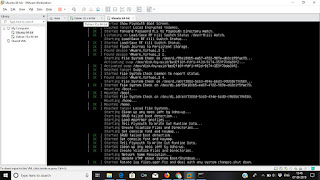


Now when your machine is in such a state you need to open one of the terminals
which is available by pressing Ctrl+Alt+(any key from F1 to F7)
I have not checkecked if Ctrl+Alt+F8 or more key combinations work or not.
Then
after a long time I came back to write this post. Was busy in my life.
I started using Ubuntu19.04 on Vmware 15 Workstation but my Ubuntu vmware image hanged while booting. The system freezed.
I asked this question on ubuntu-users mailing list also.
The discussion is still on.
However I found out a solution which for the time being has worked.
When you have booted your Ubuntu 19.04 virtual machine you will have a hanged virtual machine as seen in following screenshots.


Now when your machine is in such a state you need to open one of the terminals
which is available by pressing Ctrl+Alt+(any key from F1 to F7)
I have not checkecked if Ctrl+Alt+F8 or more key combinations work or not.
Then
1. open
terminal
ctl+alt+t
2. Type
sudo vim /etc/gdm3/custom.conf
3. type
the password when prompted. (It will not be visible while typing.) edit the
file and remove '#' located at the beginning of the following line (its 7th
line)
#Wayland = false
4. So
now the line will look like this -
Wayland
= false
5. save
and close the window.
6. exit
and restart.
If this also does not work then update your bios.
In my case this had worked.
I found this solution here


3 comments:
Well explained! The platform makes complex decisions feel much easier to handle.
It gives users confidence to take the next step without hesitationcost of studying in UK for Indian students 2026
Thank you for sharing valuable information here. high demand courses in Canada for PR
I found the explanation of living expenses particularly useful when learning about the Cost of Studying in UK for Indian Students 2026.
Post a Comment